This post is English edition of [Appium][Android]Set DataPicker and TimePicker via Espresso Driver which is for Selenium/Appium Advent Calendar 2018 in Japanese.
mobile command
Appium provides mobile command to conduct native commands in order to extend Appium actions using native features.
In general, we follow the W3C webdriver spec. We add new endpoints which have not defined in W3C mapping to arbitrary URIs. But we would not have liked to add new endpoints only for particular platform considering maintainability and easy to add new commands.
As a result, we started adding APIs as mobile: prefixed execution command. We call it is mobile command
DatePicker and TimePicker
Many users had requested us to handle datepicker and timepicker with more reliable ways like native Espresso.
On uiautomator2 automation name, we have the same limitations as native uiautomator. Thus, we were not able to implement the best way, which was via native espresso methods.
We have released Espresso Driver as 1.x from Appium 1.10.0. In the driver, we can handle a test target via Espresso methods.
Hense, we finally can handle such picker via native Espresso way.
Please see below animation gifs. They are used mobile: setDate and mobile: setTime.
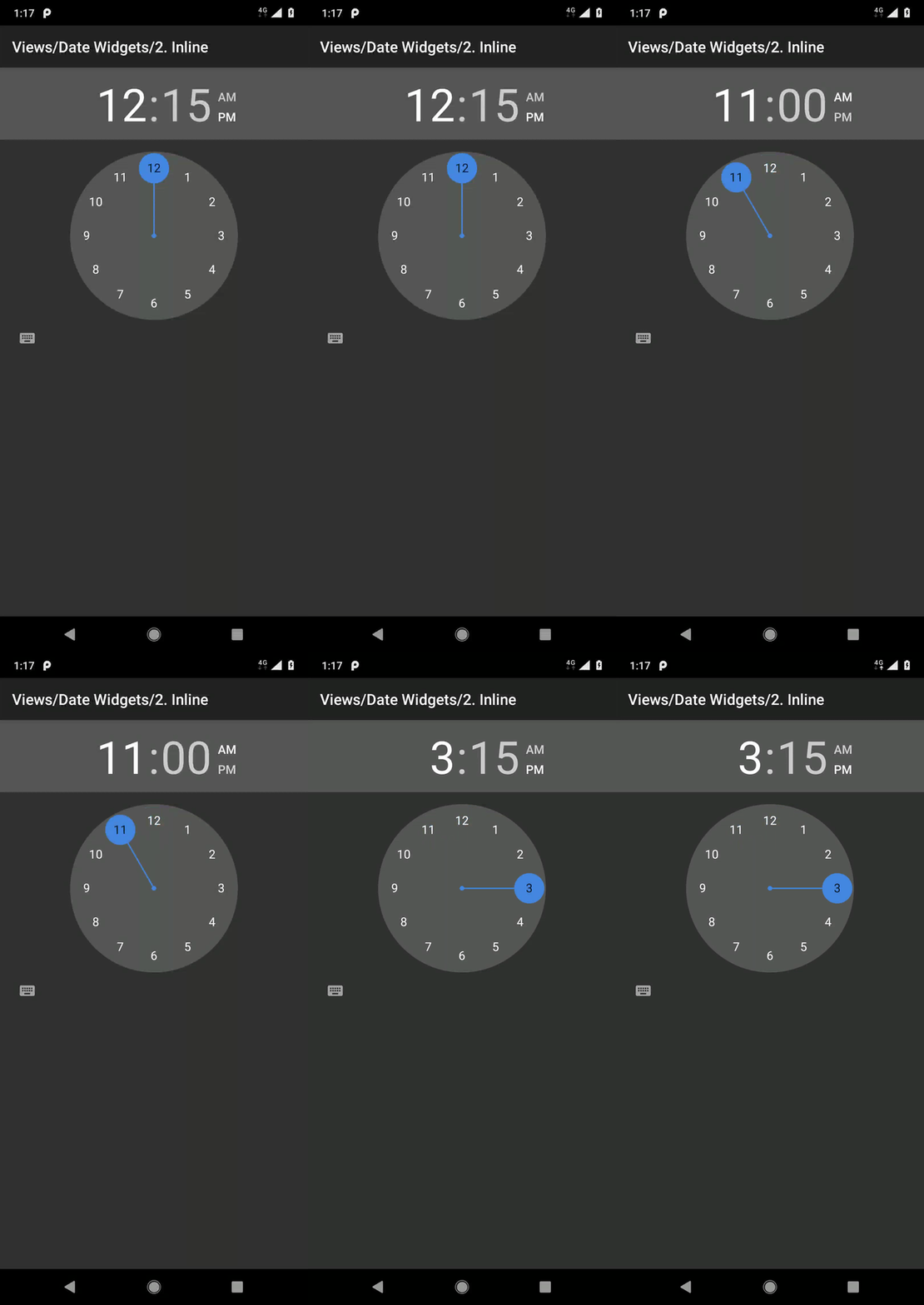
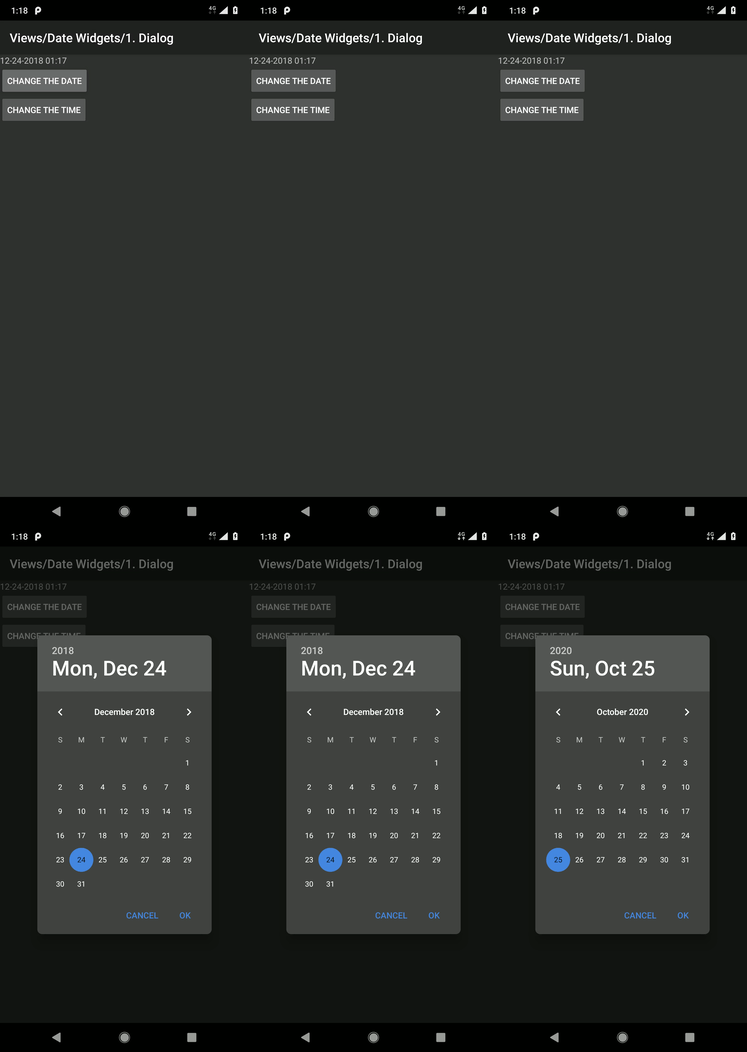
Code example in Ruby
Below is an example to implement mobile: setDate and mobile: setTime. They are in a part of test code of ruby_lib_core.
As the other client library, @driver.execute_script('mobile: setDate', { year: 2020, monthOfYear: 10, dayOfMonth: 25, element: date_picker.ref }) part is almost same. So you can achieve the same thing in similar syntax.
# Ruby
def test_datepicker
  caps = Caps.android 'io.appium.android.apis.view.DateWidgets1'
  @core = ::Appium::Core.for(caps)
  @driver = @core.start_driver

  @driver.find_element(:accessibility_id, 'change the date').click

  date_picker = @driver.find_element(:id, 'android:id/datePicker')
  @driver.execute_script('mobile: setDate', { year: 2020, monthOfYear: 10, dayOfMonth: 25, element: date_picker.ref })
  assert_equal 'Sun, Oct 25', @driver.find_element(:id, 'android:id/date_picker_header_date').text
end

# @since Appium 1.11.0 (Newer than 1.10.0)
def test_timepicker
  caps = Caps.android 'io.appium.android.apis.view.DateWidgets2'
  @core = ::Appium::Core.for(caps)
  @driver = @core.start_driver

  time_el = @driver.find_element(:class, 'android.widget.TimePicker')
  @driver.execute_script('mobile: setTime', { hours: 11, minutes: 0, element: time_el.ref })
  assert @driver.find_element(:id, 'io.appium.android.apis:id/dateDisplay').text == '11:00'

  time_el = @driver.find_element(:class, 'android.widget.TimePicker')
  @driver.execute_script('mobile: setTime', { hours: 15, minutes: 15, element: time_el.ref })
  assert @driver.find_element(:id, 'io.appium.android.apis:id/dateDisplay').text == '15:15'
end
Summary
I show setDate and setTime mobile commands as interesting examples for Espresso driver.
Via the Espresso driver, we can hack Android applications via espresso commands. We can test with a more reliable way as black/grey box test style, although it has the same limitation of native Espresso so far.
I hope this will help you more.
Happy testing!


1 Comment